> For the complete documentation index, see [llms.txt](https://minimateapps.gitbook.io/customfield/llms.txt). Markdown versions of documentation pages are available by appending `.md` to page URLs; this page is available as [Markdown](https://minimateapps.gitbook.io/customfield/how-to.../how-to-add-a-customer-tag-in-shopify-based-on-custom-field-answers.md).
# How to add a customer tag in Shopify based on custom field answers?
{% hint style="info" %}
Please install Shopify Flow App to follow the guide.
{% endhint %}
After installing the Flow App, please download this Flow template below to your computer.
{% embed url="" %}
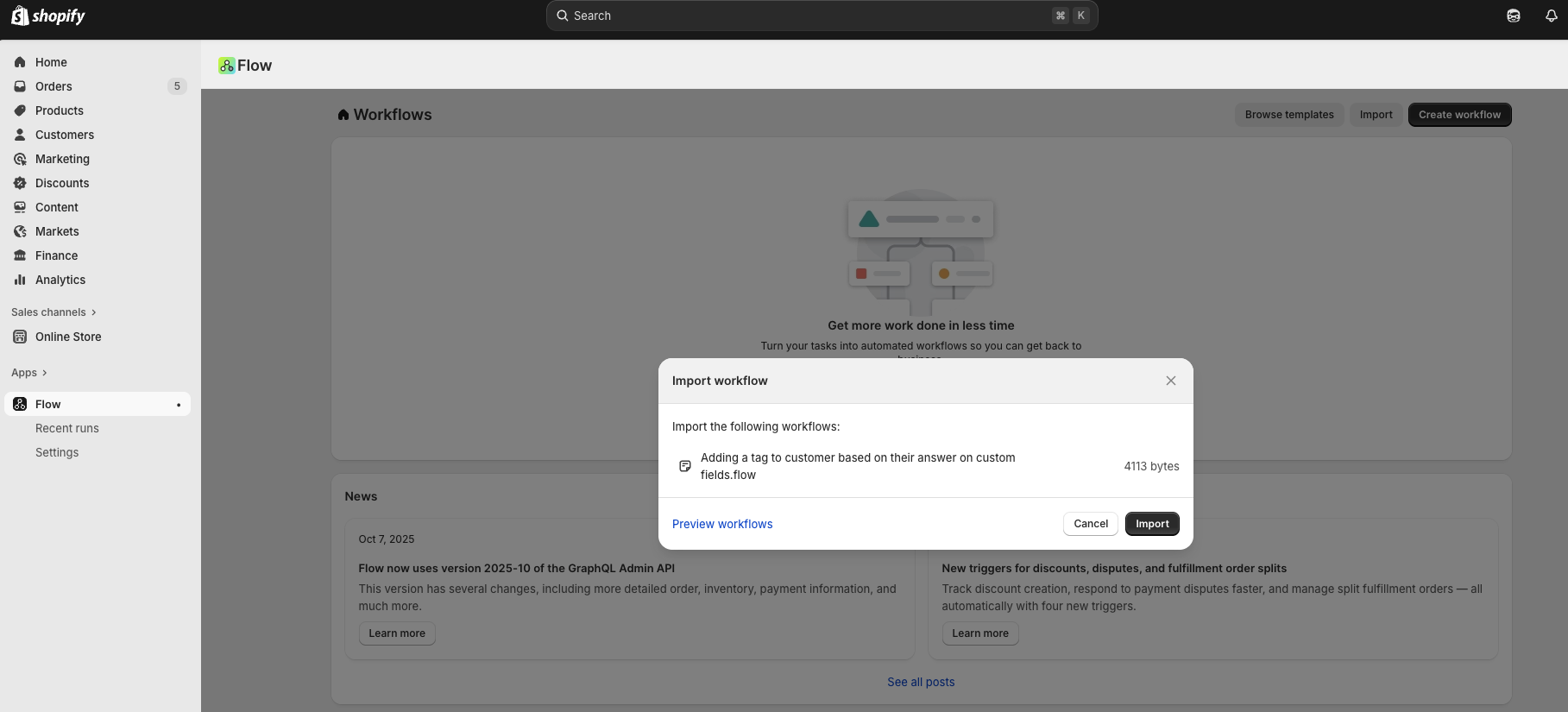
Once it is downloaded, please click "IMPORT" button in Flow App at the top right and import the flow template you just downloaded.
After importing the flow, you should be able to see the flow imported and listed in your dashboard.
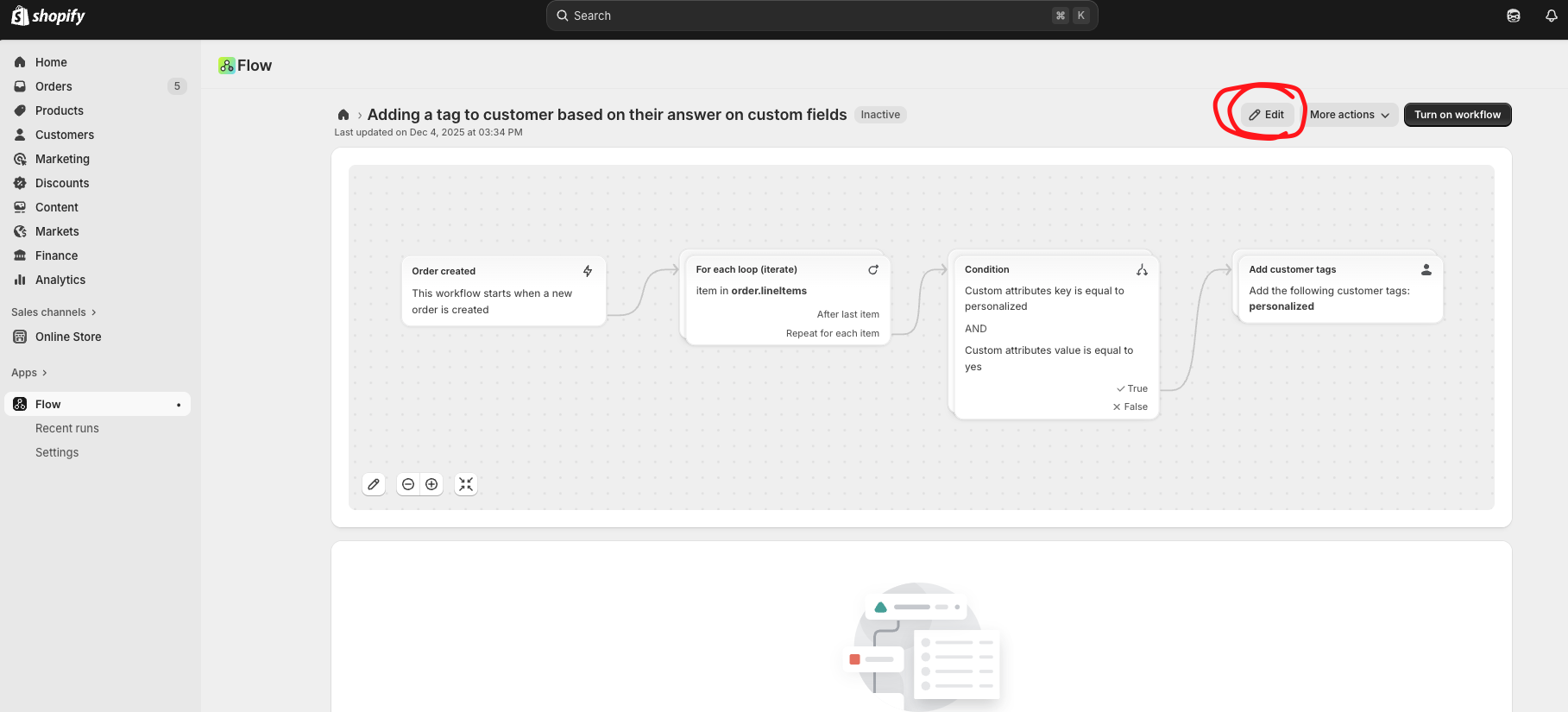
Please click on that flow to edit it with your own scenario. The flow is created to put "personalized" tag on a customer when a field header "personalized" is selected with the option "yes".
Click edit icon on this selected flow to edit them if needed.
{% hint style="warning" %}
Click on the condition box to edit based on which answer you want to add the customer tag. Now it is designed to add a tag when "personalized" field header with an option of "yes" is selected.
{% endhint %}
This is where "personalized" and "yes" comes from Mini:Custom Fields App:
{% hint style="info" %}
Click on "Add customer tags" box and edit the customer tag you'd like to add easily on the left side.
{% endhint %}
{% hint style="danger" %}
After all your configurations, please ensure that this flow is turned on, live, and running in your store.
{% endhint %}